Monday, April 18, 2016

Thursday, December 17, 2015
Modern Repair Service Organization and Overlooked Functions in ERP
Follow @ArtieBe
Many ERP (Enterprise Resource Planning) packages offer core support for PSA (Professional Services Automation) businesses, which often attempt to cover also repair service functionality. In reality, it is quite difficult to satisfy the wide range of business requirements in diverse industries with one standard service module available as one standard way of doing things. E.g., heavy machinery dealership service is very different from medical devices repair. Here are some of the key requirements - potential gaps I came across at similar businesses - worth examining before investing in ERP or LOB software to support business models relating to repair service of instruments. I am currently working on identifying enhancement customization approaches and ISV solutions for Microsoft Dynamics ERP customers in this area. If you would like to learn more, discuss or suggest solution, please feel free to contact me.
Tracing Service Object
Excellent repair servicing of expensive instrument will likely require ability to track transactions of the instrument and/or its parts in question by their unique serial numbers over full life-cycle of individual products. This may include tracking of where the product or its parts have left from production to reseller (own sales entity or distributor etc), further assembling operations, shipping to customer etc.
ERP will normally support rich tracking inventory items in a warehouse and even at the inter-company level of a global organization, but the same functionality might not be available for repair service items (sometimes called, service objects), which often belong to 3rd party organizations (customers, dealers etc.) or are leased and handled via separate framework or logic within ERP.
Repair Quotations
ERP will normally offer sales quotation function as part of CRM, sales or project functional areas. These will be integrated with inventory item master or new project creation.
Repair services will often deal with service objects, which belong to 3rd party organizations (customers, distributors etc) and not stored in own inventory records. Quotes will often be created based on inspection results of repair lines in service functional area. Entry of the same data on sales quote would cause additional double-entry effort and some level of disintegration with repair. Thus, adding quote functionality into repair area might be an additional need.
One Repair – Many Support Arrangements
One repair case of the whole instrument can include multiple support arrangements with different processing and segregation at transaction line level. For example, labor can be under service contract but spare parts are chargeable. One defect of the same instrument might be covered by sales warranty, another by service contract or simply chargeable repair. ERP standard package might not offer complete administration and tracking functions for a repair in case of such combined scenarios.
Service Contract Invoicing
While many ERP systems offer service contract functionality, consider how it is linked to finance, invoicing process and with various scenarios like cost and revenue recognition etc. Usually ERP project modules has this kind of link with finance and general ledger while additional integration and functionality might need to be established for service contracts.
Loaners
Upon instrument return for repair, it might be necessary to ship a loaner (temporary replacement) to the customer till the repair of original item is finished. Loaners could be company’s own stock and never sold to the customer but shipped to them. Such lending operations are not necessarily supported in many standard ERP systems. Furthermore, due to the high value of these instruments, in many countries they might be considered as fixed assets and thus handled differently than inventory stock. Some would also require conversion between both.
Intercompany Service Transactions
Larger global businesses engaging in repair services of instruments will likely organize their repair workshops in local and regional centers involving transactions among legal entities. For example, a company might choose to set criteria according to which minor repairs are done locally, e.g., at a country level, but more complicated ones - demanding more effort or specific expertise are sent to a regional repair center. This could involve shipping and receiving the repair service object belonging to customer and inventory parts from another subsidiary or factory. Furthermore, often mandatory transaction tracing by serial number and sharing of service order data among multiple companies can further reduce the standard fit levels of ERP package in question.
Damage Catalog
For a more efficient planning, management and solving equipment damages, many repair organizations choose to catalogue them and link to resource and operation planning. This classification means grouping at least the most frequent types of instrument damages, providing them with IDs, titles, descriptions, photos, solutions and other properties. Furthermore, required time, resources and location can be planned for each of the types per product, effort and workshop capacity planned in advance. If repair inspectors are to use the ERP system, it is likely that such functions would be requested.
Mobility
With the mobile taking over business processes, it is likely that mobile interface or apps will be requested by a modern repair service organization not only for the field service to connect to the service object data and update it, but also in-house. For example, many inspectors would rather use a mobile tablet interface to make photos and fill out a form than existing paper forms followed by entry into ERP table interface as it is often done today.
Many ERP (Enterprise Resource Planning) packages offer core support for PSA (Professional Services Automation) businesses, which often attempt to cover also repair service functionality. In reality, it is quite difficult to satisfy the wide range of business requirements in diverse industries with one standard service module available as one standard way of doing things. E.g., heavy machinery dealership service is very different from medical devices repair. Here are some of the key requirements - potential gaps I came across at similar businesses - worth examining before investing in ERP or LOB software to support business models relating to repair service of instruments. I am currently working on identifying enhancement customization approaches and ISV solutions for Microsoft Dynamics ERP customers in this area. If you would like to learn more, discuss or suggest solution, please feel free to contact me.
Tracing Service Object
Excellent repair servicing of expensive instrument will likely require ability to track transactions of the instrument and/or its parts in question by their unique serial numbers over full life-cycle of individual products. This may include tracking of where the product or its parts have left from production to reseller (own sales entity or distributor etc), further assembling operations, shipping to customer etc.
ERP will normally support rich tracking inventory items in a warehouse and even at the inter-company level of a global organization, but the same functionality might not be available for repair service items (sometimes called, service objects), which often belong to 3rd party organizations (customers, dealers etc.) or are leased and handled via separate framework or logic within ERP.
Repair Quotations
ERP will normally offer sales quotation function as part of CRM, sales or project functional areas. These will be integrated with inventory item master or new project creation.
Repair services will often deal with service objects, which belong to 3rd party organizations (customers, distributors etc) and not stored in own inventory records. Quotes will often be created based on inspection results of repair lines in service functional area. Entry of the same data on sales quote would cause additional double-entry effort and some level of disintegration with repair. Thus, adding quote functionality into repair area might be an additional need.
One Repair – Many Support Arrangements
One repair case of the whole instrument can include multiple support arrangements with different processing and segregation at transaction line level. For example, labor can be under service contract but spare parts are chargeable. One defect of the same instrument might be covered by sales warranty, another by service contract or simply chargeable repair. ERP standard package might not offer complete administration and tracking functions for a repair in case of such combined scenarios.
Service Contract Invoicing
While many ERP systems offer service contract functionality, consider how it is linked to finance, invoicing process and with various scenarios like cost and revenue recognition etc. Usually ERP project modules has this kind of link with finance and general ledger while additional integration and functionality might need to be established for service contracts.
Loaners
Upon instrument return for repair, it might be necessary to ship a loaner (temporary replacement) to the customer till the repair of original item is finished. Loaners could be company’s own stock and never sold to the customer but shipped to them. Such lending operations are not necessarily supported in many standard ERP systems. Furthermore, due to the high value of these instruments, in many countries they might be considered as fixed assets and thus handled differently than inventory stock. Some would also require conversion between both.
Intercompany Service Transactions
Larger global businesses engaging in repair services of instruments will likely organize their repair workshops in local and regional centers involving transactions among legal entities. For example, a company might choose to set criteria according to which minor repairs are done locally, e.g., at a country level, but more complicated ones - demanding more effort or specific expertise are sent to a regional repair center. This could involve shipping and receiving the repair service object belonging to customer and inventory parts from another subsidiary or factory. Furthermore, often mandatory transaction tracing by serial number and sharing of service order data among multiple companies can further reduce the standard fit levels of ERP package in question.
Damage Catalog
For a more efficient planning, management and solving equipment damages, many repair organizations choose to catalogue them and link to resource and operation planning. This classification means grouping at least the most frequent types of instrument damages, providing them with IDs, titles, descriptions, photos, solutions and other properties. Furthermore, required time, resources and location can be planned for each of the types per product, effort and workshop capacity planned in advance. If repair inspectors are to use the ERP system, it is likely that such functions would be requested.
Mobility
With the mobile taking over business processes, it is likely that mobile interface or apps will be requested by a modern repair service organization not only for the field service to connect to the service object data and update it, but also in-house. For example, many inspectors would rather use a mobile tablet interface to make photos and fill out a form than existing paper forms followed by entry into ERP table interface as it is often done today.
Sunday, August 9, 2015
Single vs. Multiple Instance Global ERP: Case of Microsoft Dynamics AX 2012
Follow @ArtieBe
 A quick summary of pros and cons for single vs. multiple ERP solution instances when planning to deploy a global ERP. Considerations are based on experiences with Microsoft Dynamics AX 2012 product. Advantages of one approach often reflect disadvantages in the second.
Single Instance Pros
 A quick summary of pros and cons for single vs. multiple ERP solution instances when planning to deploy a global ERP. Considerations are based on experiences with Microsoft Dynamics AX 2012 product. Advantages of one approach often reflect disadvantages in the second.
Single Instance Pros
- Cost benefits - potentially less investment required with lower TCO - one instance clearly requires less resources and lower ongoing cost than multi-instance.
- Simplified management - setup and processing of various master data and group's transaction data in same set of rules, (global address book, products), inter-company transactions, consolidation processing etc - by having all data and legal entities stored and managed within the same instance.
- Unlike in previous versions, with Microsoft Dynamics AX 2012 release, various standard AX localizations (different functionality per legal entity) are supported within the same instance and do not require additional deployments for supporting local legal requirements.
- Maintaining potentially complicated dependencies and rules caused by modifications and configurations to meet diverse local and regional business specific requirements. Customization for one region or legal entity can have undesirable dependencies for others. Meanwhile, workarounds exist. For example, create a modification for regional enhancement, which determines the user's region and enables respective customizations in the legal entity he/she belongs to.
- Increased impact of maintenance or failures on all worldwide regions and users. If for any reasons, the production ERP instance shall be stopped for troubleshooting or maintenance, this can affect the whole worldwide users in all time zones.
- Database limitations - scaling out of Microsoft SQL server performance in large deployments and collations issues with storing text fields in different ways.
- Availability of network infrastructure to all worldwide users. Network latency and other network considerations for users in various locations are usually raised when considering single instance vs. multiple an may require additional validation before making the decision.
- Easier to implement and maintain more complex modified solutions where such customizations and configurations for one region and legal entity can cause undesirable effects on others if handled within the same application instance. It is often considered better to separate these into instances.
- Mitigate the impacts from downtime risks or maintenance if production system should be turned down for a some time especially over multiple timezones. Industries like retail and other would not be able to afford long downtime of business critical system in one place for whatever reasons causing it in other regions.
- Solution to some database limitations - ability to scale out Microsoft SQL server to improve performance in large deployments and resolve potential collations issues by separate instance of database.
- Higher investment and TCO caused by additional server licenses or subscriptions in ERP platform, staff (especially, for on-premise case), maintenance and more additional deployment environments (e.g., test, validation etc) required.
- Additional complexity in modifying and maintaining cross-instance customizations since same code might need to be promoted and tested across diverse multiple application instances.
- Maintaining and processing cross instance data and rules is not so straightforward as in single instance. For example, consolidation processing would require additional steps with file exports. Master data integrity across companies might require additional steps or solutions. Master data management solution, such as, Microsoft SQL Master Data Services can be considered. Furthermore, if a company wants to implement a global BI & Analytic solution, this will affect the data warehouse and BI solution architecture.
- Lower impact of downtime since instances are separated.
Sunday, April 26, 2015
Interoperability of Public Clouds: Case of Azure and Joomla CMS Migration
Follow @ArtieBe
The features built in Azure for rapidly setting up and deploying various well-known CMS, collaboration, e-commerce and other packages involving multiple components (application, database, web server etc) is really great. Work which could take many hours by IT specialists in the past can now be done in couple minutes by less advanced experts. However, what happens if a customer wants to migrate out a solution from Azure to another cloud or simply a Web hosting provider? The need might be there due to cheaper price of the services or other preferences. Would Azure allow you to migrate out the solution with similar speed and simplicity as when deploying? Here is a summary of hands-on experience in migrating out Joomla content management system from Azure to Web hosting provider which supports widely known industry tools in Web hosting mentioned in the article.
What is Joomla CMS?
 For those who might not know, Joomla is a free and open-source content management system (CMS) for publishing Web content and widely used by content publishers and Web designers worldwide. For more technical folks - Joomla is written in PHP, uses object-oriented programming, stores data in a MySQL and includes many features such as page caching, RSS feeds, printable versions of pages, news flashes, blogs, polls, search, and support for language internationalization.
According to Wikipedia, as of February 2014, Joomla has been downloaded over 50 million times. It is estimated to be the second most used content management system on the Internet after WordPress.
General Migration Steps for Joomla
To migrate Joomla from one server (this can be Azure service) to another (new Web hosting company) there are generally few steps as described fully here and summarized as follows.
1) Copying Application Files with FTP
- Download application files from server (Azure) to your computer.
- Upload application files from your computer to the new server
These operation often done by well known industry tools as FileZilla, Cute FTP used by Web masters and admins.
2) Copying the Database with phpMyAdmin
- Exporting a copy of the database (such as Azure service) to your computer
- Importing the copy into a new database
3) Changing Joomla Configuration to point to the new database etc.
Azure and Application Migration
The Microsoft's tool available in Azure for copying files is WebMatrix. In order to use it for accessing files, a publisher settings file had to be imported. Using 3rd party FTP application was not possible or clear/straightforward due to this setup required. WebMatrix has a function to Download site (to local). However, it always got stuck without any message at the stage seen as in the below screenshot. Another option (besides file download) is to set up the whole environment for Joomla with installing MySQL DB, XAMP etc. locally. While this also did not work out to the fullest due to WebMatrix stopping execution, it somehow allowed to download the application files.

Azure and DB Migration

The features built in Azure for rapidly setting up and deploying various well-known CMS, collaboration, e-commerce and other packages involving multiple components (application, database, web server etc) is really great. Work which could take many hours by IT specialists in the past can now be done in couple minutes by less advanced experts. However, what happens if a customer wants to migrate out a solution from Azure to another cloud or simply a Web hosting provider? The need might be there due to cheaper price of the services or other preferences. Would Azure allow you to migrate out the solution with similar speed and simplicity as when deploying? Here is a summary of hands-on experience in migrating out Joomla content management system from Azure to Web hosting provider which supports widely known industry tools in Web hosting mentioned in the article.
What is Joomla CMS?
According to Wikipedia, as of February 2014, Joomla has been downloaded over 50 million times. It is estimated to be the second most used content management system on the Internet after WordPress.
General Migration Steps for Joomla
To migrate Joomla from one server (this can be Azure service) to another (new Web hosting company) there are generally few steps as described fully here and summarized as follows.
1) Copying Application Files with FTP
- Download application files from server (Azure) to your computer.
- Upload application files from your computer to the new server
These operation often done by well known industry tools as FileZilla, Cute FTP used by Web masters and admins.
2) Copying the Database with phpMyAdmin
- Exporting a copy of the database (such as Azure service) to your computer
- Importing the copy into a new database
3) Changing Joomla Configuration to point to the new database etc.
Azure and Application Migration
The Microsoft's tool available in Azure for copying files is WebMatrix. In order to use it for accessing files, a publisher settings file had to be imported. Using 3rd party FTP application was not possible or clear/straightforward due to this setup required. WebMatrix has a function to Download site (to local). However, it always got stuck without any message at the stage seen as in the below screenshot. Another option (besides file download) is to set up the whole environment for Joomla with installing MySQL DB, XAMP etc. locally. While this also did not work out to the fullest due to WebMatrix stopping execution, it somehow allowed to download the application files.
Azure and DB Migration
While database is a critical component of any CMS architecture, it is not directly available in Azure portal for any operations. The only link to it is under website settings as seen in the screenshot. If clicked, it brings you to 3rd party service called ClearDB and might raise at least couple of questions if not more. After some time of research you might end up installing one of the tools like Oracle's MySQL Workbench, Sequel Pro for Mac OS X, or Navicat to access your database and copy it out locally from Azure and ClearDB framework. While Workbench did not work out well Navicat was a relatively short learning curve to get the job done and allows transactions between both Azure and the new hosting provider.
In Conclusion
While setting up CMS (such as Joomla) on Azure might take just minutes, migrating out is not so straight-forward and can take up to one day or more depending on the technical experience. If you are not sure about staying with Azure service forever, it might be wise for any organisation or individual to consider migrating out plan as well since Web site hosting market is very competitive with possibility of finding better value elsewhere.
While setting up CMS (such as Joomla) on Azure might take just minutes, migrating out is not so straight-forward and can take up to one day or more depending on the technical experience. If you are not sure about staying with Azure service forever, it might be wise for any organisation or individual to consider migrating out plan as well since Web site hosting market is very competitive with possibility of finding better value elsewhere.
Thursday, April 16, 2015
Social Has Been Around Since Ancient Times: Insights from the Head of Instagram in Japan
Follow @ArtieBe
Thanks to event organized by EN World, I had a chance to listen and talk with the head of Instagram in Japan, Mr. Tsuguhide Nagase. Instagram is part of Facebook but runs as a separate service. What’s unique about this network and why it could be relevant to users and advertisers in the mobile-first era?
 Social is Nothing New

Thanks to event organized by EN World, I had a chance to listen and talk with the head of Instagram in Japan, Mr. Tsuguhide Nagase. Instagram is part of Facebook but runs as a separate service. What’s unique about this network and why it could be relevant to users and advertisers in the mobile-first era?
Social is Nothing New
Social connectivity has been a part of human nature since ancient times - sharing things while having a tea or nonverbally while at campfire. Humans have always been messengers and story tellers. Thus, people have always been publishers as well. What has changed is the media – same behavior but in a whole new world.
Today, people look at mobile instead of TV. Time spent on mobile is significantly increasing in Japan. From 2009 to 2013 it has grown by 2.5 times while 4 times among those in the age of their 20ies. Usage of mobile is 1.5 times higher than that of PC. Trend of using mostly one device at a time is also increasing due to larger screens available for mobile devices. Mobile is the preferred screen in Japan. Facebook and Instagram are not social tools – they are marketing and branding tools. Instagram is in the business of branding. As of today, Instagram has 300 million monthly active users.
The Contributors
There are 2-3 groups of users on Instagram. Instagrammers – just upload pics and enjoy community. Instant meet is an activity where community can gather in a physical location to share and understand how nice and creative pics were made. It is not a drinking party.
There are 2-3 groups of users on Instagram. Instagrammers – just upload pics and enjoy community. Instant meet is an activity where community can gather in a physical location to share and understand how nice and creative pics were made. It is not a drinking party.
Another group is famous users - celebrities. The number of followers is also affected by the actual artistic sense of the photos they upload. People will not follow if their pics are not nice. Famous users can also be organizations like National Geographic, Starbucks who use the service for branding. Getting more followers means creating great images rather than just clicking to like others and exchanging follows. As of today, Instagram has 70 million number of photos contributed a day and 2.5 billion likes a day.
In Branding Business
In the mobile-first world, the power of user’s thumb – tap
or skip means that an ad needs to be very good at first impression and should
have creative impact. What you saw is important. 99% of people who saw a
Facebook ad and then bought a product in a store never clicked on that ad at
all. They remember the impression and make the transaction later. Therefore, Instagram
is focused on branding and awareness via images rather than click-through rates.
Here, images are universal language. Therefore, it is no wonder that from the
beginnings of the service, 70% of the users are coming from outside of the US
from various geographies.
If a company publishes nice images unrelated directly to
their trademark, those can attract followers who can also become customers via overall
brand awareness. For example, Louis Vuitton often publishes images not linked
directly to their trademark or promotions. Burberry can publish images of
London. Then London could potentially tag with Burberry in the user’s mind etc.
Facebook and Instagram ads are different. Facebook
targeting is based and follows click-through rates. Instagram is focused on
creative images and the measurement would be different. Instagram will start
advertising services in Japan this year. One of important principles will be to
maintain good user experience.
Thursday, March 26, 2015
Swiftコード実行遅延
Follow @ArtieBe

ネット上で探しました、簡単な例を見つけられませんでした。こちらで自分でやってみました。
「Click Pls」をタップすると3秒の後に「Result」ラベルで「clicked」を表示しましょう。そのためにビューコントローラーに次のコードを書きました。

ネット上で探しました、簡単な例を見つけられませんでした。こちらで自分でやってみました。
「Click Pls」をタップすると3秒の後に「Result」ラベルで「clicked」を表示しましょう。そのためにビューコントローラーに次のコードを書きました。
import UIKit
class ViewController: UIViewController {
@IBOutlet var resultLabel: UILabel!
@IBAction func clicked(sender: UIButton) {
func delay(delay:Double, closure:()->()) {
dispatch_after(
dispatch_time(
DISPATCH_TIME_NOW,
Int64(delay * Double(NSEC_PER_SEC))
),
dispatch_get_main_queue(), closure)
}
delay(3) {
self.resultLabel.text = "clicked"
}
}
}
結果的に「Click Pls」をタップすると3秒の後に「Result」ラベルで「clicked」が表示されます。
Monday, March 23, 2015
Swift: How to Update Variable Outside the Scope of Function
Follow @ArtieBe
Apple Swift brings some new ways of coding practices which might be challenging for developers who already are used to Java, C# and other object oriented languages. One of such areas for me was seemingly simple one - how to update variables outside of functions (which are often used as methods) due to restrictions on function scope and variable optionals in Swift. Here, i give simple example in Xcode playground where two variables (score1 and score2) are given functions to return values and then summed up for another valuable (totalScore).
Apple Swift brings some new ways of coding practices which might be challenging for developers who already are used to Java, C# and other object oriented languages. One of such areas for me was seemingly simple one - how to update variables outside of functions (which are often used as methods) due to restrictions on function scope and variable optionals in Swift. Here, i give simple example in Xcode playground where two variables (score1 and score2) are given functions to return values and then summed up for another valuable (totalScore).
import UIKitvar score1:Int? = 6func getScore1 () -> (Int?) {if score1 != nil {score1} else {score1 = 0}return (score1)}var score2:Int? = nilfunc getScore2 () -> (Int?) {if score1 != nil {score1} else {score1 = 0}return (score1)}var totalScore = getScore1()! + getScore2()!println(totalScore)
Tuesday, February 10, 2015
Office 365の有効活用ための6つのアイデア
Follow @ArtieBe
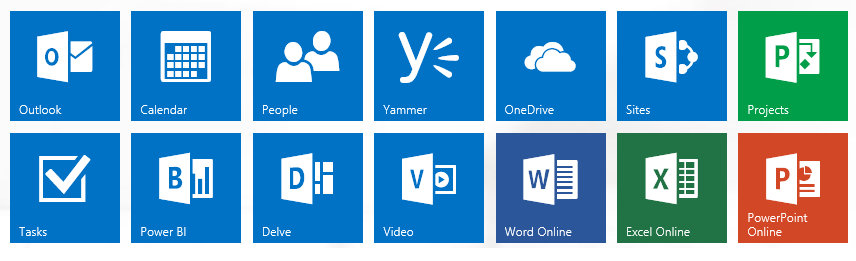
顧客へのサービスする、様々なタスクを達成する、人と繋がるために今日の組織は益々高度な生産性とコミュニケーションツールを必要としています。ところが、企業にはパッケージの様々な能力及び利用できるサービスについて意識されてない可能性があります。高いROIを達成するためにビジネスとITの経営者は予めパッケージの使用を計画、促進したほうがいいのではないでしょうか。今回は、Office 365の有効活用方法を検討します。
 ファイル送信ではなく、ドキュメントをクラウドで簡単に共有しましょう
Office 365ではドキュメント、フォルダーとファイルのアクセスの簡単なコントロール(編集と閲覧)方法が提供されています。これを利用するとユーザー同士で一つの保存場所でバーションを管理し、アクセス権のコントロールができます。加えて、メールボックスのメモリを減らすこともできるし、多くのメールの混乱を避けることも可能です。
他のアプリケーションとの連携
Office 365はその他のアプリケーションの高度な連携と使用事例が提供されています。例えば、LyncとSkype間でインスタントメッセージのやり取り、音声やビデオでの会話ができます。
Sales ProductivityというパッケージはOffice 365及びDynamics CRM Onlineを効率的な方法で結合します。連携シナリオの例は下記のとおりです。
⋆ Yammerの内部ソーシャルネットワーク利用で営業案件に関するチーム参加者のコラボレーションを改良
⋆ SharePointに基づいたCRMのエンティティに関するドキュメントの高度な管理
⋆ Exchange Onlineに基づいたEメールによる営業活動とカレンダーとの統合のサポート
⋆ Excelとのデータ統合(PC上とOffice Web Apps)
⋆ ダイレクト・メール・キャンペーン用のMicrosoft Officeの差し込み印刷
⋆ Excel、Power BIに基づいたデータ分析
自社に合ったプランに合ったプランの選択
Office 365は様々な組織の実際要件に対して幾つかサービスプランが提供されます。例えば、シフト勤務の人や店員は会社で席を持っていない、あるいは一台のPCを共用しています。Office 365のキオスク・プランはこのようなユーザーのコミュニケーションと協力を無駄な投資無しで改良できます。
新規リリーズを検討しましょう
Office 365は進化し、毎月新規の機能がリリースされるので、その新しいバリューを検討しましょう。過去の更新の例としてOffice Web Apps機能強化、iPad用のMicrosoft Office、メールボックスのサイズ増量等でした。
展開プロジェクトタイムラインとの利用調整
Office 365あるいはExchange Online、SharePoint等のコンポーネントの導入とマイグレーションは、リソース管理等の活動でプロジェクト管理とスケジュールを必要としています。新しいサービスを購入する時にその実際の展開能力を確認したり、おおよその計画を立てることは良いアイデアです。
無料トレーニングのリソース検討
何時でも新しいことが勉強できます。現在は、多くのOffice 365教材に無償でアクセスすることが可能です。英語ですが、こちらからアクセスできます。
顧客へのサービスする、様々なタスクを達成する、人と繋がるために今日の組織は益々高度な生産性とコミュニケーションツールを必要としています。ところが、企業にはパッケージの様々な能力及び利用できるサービスについて意識されてない可能性があります。高いROIを達成するためにビジネスとITの経営者は予めパッケージの使用を計画、促進したほうがいいのではないでしょうか。今回は、Office 365の有効活用方法を検討します。
Office 365ではドキュメント、フォルダーとファイルのアクセスの簡単なコントロール(編集と閲覧)方法が提供されています。これを利用するとユーザー同士で一つの保存場所でバーションを管理し、アクセス権のコントロールができます。加えて、メールボックスのメモリを減らすこともできるし、多くのメールの混乱を避けることも可能です。
他のアプリケーションとの連携
Office 365はその他のアプリケーションの高度な連携と使用事例が提供されています。例えば、LyncとSkype間でインスタントメッセージのやり取り、音声やビデオでの会話ができます。
Sales ProductivityというパッケージはOffice 365及びDynamics CRM Onlineを効率的な方法で結合します。連携シナリオの例は下記のとおりです。
⋆ Yammerの内部ソーシャルネットワーク利用で営業案件に関するチーム参加者のコラボレーションを改良
⋆ SharePointに基づいたCRMのエンティティに関するドキュメントの高度な管理
⋆ Exchange Onlineに基づいたEメールによる営業活動とカレンダーとの統合のサポート
⋆ Excelとのデータ統合(PC上とOffice Web Apps)
⋆ ダイレクト・メール・キャンペーン用のMicrosoft Officeの差し込み印刷
⋆ Excel、Power BIに基づいたデータ分析
自社に合ったプランに合ったプランの選択
Office 365は様々な組織の実際要件に対して幾つかサービスプランが提供されます。例えば、シフト勤務の人や店員は会社で席を持っていない、あるいは一台のPCを共用しています。Office 365のキオスク・プランはこのようなユーザーのコミュニケーションと協力を無駄な投資無しで改良できます。
新規リリーズを検討しましょう
Office 365は進化し、毎月新規の機能がリリースされるので、その新しいバリューを検討しましょう。過去の更新の例としてOffice Web Apps機能強化、iPad用のMicrosoft Office、メールボックスのサイズ増量等でした。
展開プロジェクトタイムラインとの利用調整
Office 365あるいはExchange Online、SharePoint等のコンポーネントの導入とマイグレーションは、リソース管理等の活動でプロジェクト管理とスケジュールを必要としています。新しいサービスを購入する時にその実際の展開能力を確認したり、おおよその計画を立てることは良いアイデアです。
無料トレーニングのリソース検討
何時でも新しいことが勉強できます。現在は、多くのOffice 365教材に無償でアクセスすることが可能です。英語ですが、こちらからアクセスできます。
Monday, February 9, 2015
Considerations for Implementing Dynamics AX in Japan - Renewed
Follow @ArtieBe
Back in July 2012, I published an article in Dynamics Community titled "Considerations for Implementing Dynamics AX in Japan". Couple of things have progressed since then and are now updated with this new posting.
Like any other country, Japan has some unique business practices and requirements. This article is to provide some insight into Japan specific considerations when implementing Dynamics AX or ERP software. We will examine functional, technical and project related requirements in general rather than looking into technical and setup details. This article is intended for key business users and project members as well as technical specialists who just need a quick reference about ERP system requirements in Japan. The article is not to cover all Japan specific ERP implementation requirements. These can differ case by case over various Dynamics engagements and industries. This article is based on the author’s experience form Dynamics implementations in Japan and Japanese companies in the region.
ERP Functional Requirements - Finance & SCM
Japanese UI and Business Documents
Japanese users would prefer Japanese language user interface (UI) instead of English. Business documents like invoices, delivery notes, accounting documents and various reports in domestic business would normally be requested in Japanese. Dynamics AX localization generally support this requirement.
The final layout of documents and customized functions will depend on company’s requirements since business documents are normally reviewed and adjusted for each organization rather than using “Out of the box” objects. Examples of this work include changing layout, adding logo, adding or removing fields etc. Unique to Japan and some East Asian countries is seal (hanko) graphics or box design required on business documents. Organization or user can ask for a red seal appearing on company address in a document.
While customizing forms, documents and reports to be viewed in multiple languages, it might be necessary to adjust the size of labels in order for layout to look nice in Japanese as well as English.

Consolidated Invoice
Consolidated invoice is one of the often mentioned country-specific requirements in Japan. This means consolidating more than one sales order with posted packing slips into one invoice as of consolidation date. Invoicing schedules can differ per agreement with customer. Consolidated invoice feature is supported in relation to sales orders in Dynamics AX. Invoice consolidation practice is also used in other countries than Japan.
T-Account Journal
T-Account journal is preferred form layout for many users in Japan when processing accounting transactions with debit and credit amounts. It allows user to enter debit and credit transaction in the same line. This requirement is normally supported in most of Japanese accounting packages (Glovia, NEC Explanner, Grandit etc.) and is part of Dynamics AX Japan localization.
Kana
Japanese language uses Kanji - adopted and modified Chinese characters. Phonetic guidance of these characters uses kana writing system. This requires additional fields on multiple forms for Kana names to provide correct pronunciation and meaning of Kanji. These fields are normally required on customer, vendor, and employee forms showing a person’s name.
Banking
In order to upload vendor payments into banking systems directly from Dynamics AX, all the major Japanese banks (Mizuho, Tokyo-Mitsubishi UFJ etc.) will require payment data files to be prepared according to Japanese Bank Association (JBA) bank format. Dynamics AX localization provides support for this function since version 4.0.
A payment fee extension was released recently and covers the scenarios where a bank payment fee can be calculated automatically. It considers both scenarios in Japan where the payment fee can be paid by the vendor or by the company.
Promissory Notes
Promissory note (bill of exchange) is a document that allows payment to be settled by specifying (promising) that another party will pay for the goods or services. Usually this 3rd party is a bank. Popularity of promissory notes seems to be declining in Japan due to low interest rates associated with this financial tool. Dynamics AX supports rich functionality for bill of exchange transactions. Recently electronic promissory note integration with bank account has been required by some companies while not yet supported with Dynamics standard functionality.
Rounding
It is possible to set up rounding of different types within the standard system including for JPY. Meanwhile, companies might want to set up rounding on specific criteria like customer base. Some Japanese ERP packages have functionality with different rounding types for the same transaction on sales details (lines) and collective invoice
Fixed Assets
It has been observed in the past that some companies used local packages, such as OBC Shokyaku Bugyo to handle fixed assets and integrated it into Dynamics AX. Lots of progress has been made in resent updates to better fit Dynamics AX fixed assets in Japan. Dynamics AX 2012 R3 in its cumulative update 8 supports the Japan tax depreciation methods and legal ratios. The Japan fixed asset localization can offer capability of producing appended table 16 series and Form 26.
Consumption Tax
Japan requires Consumption Tax handling and reporting to the tax authorities. The overall process and logics of consumption tax setup and processing is rather familiar to international practice and largely supported in Dynamics AX. Although the consumption tax reports require a lot of configuration, it is provided now out of the box and can be printed through standard functionality. In particular, the Consumption Tax Declaration and Consumption Tax Calculation Sheet are supported.
Japanese Era
Like some other East Asian regions, Japan has its own counting system of years. This counting is based on the name of reigning emperor. The display of year consists of the year (era) name and number of year. This can be followed by month and date. In Dynamics AX, the functionality is addressed by implementing a special date conversion function for Japanese era.
Workflow
Many organizations in Japan might already have workflow system implemented. Therefore, one of the challenging customer requirements would be to integrate their existing workflow solution with Dynamics AX. Such work would require additional customization since no workflow integration solution for Dynamics exists in the Japanese market for the time being. If Dynamics AX workflow system is considered – Japanese organization might ask to have seal (hanko) graphics on the workflow related documents as well as some specific approval workflows like “Googisei”.
Lean Manufacturing
Lean manufacturing originally can be referred to as philosophy derived from Toyota Production System in Japan. “Lean” means a production or business practice that considers the consumption of resources for any other goal than the creation of value to the end customer to be wasteful and to be avoided. Lean is of interest to Japanese as well as many overseas companies. Therefore, Microsoft has implemented rich lean management functionality like Kanban management etc in the global release of Dynamics AX 2012 manufacturing.
Seiban
Seiban is another manufacturing and management practice in Japan likely to require customizing in Dynamics. “Seiban” can be translated from Japanese as “Manufacturing Number”. Seiban number is assigned to parts, materials, purchase orders or other objects for a particular job or project requested by customer etc.
Double-Byte Characters
Languages such as Japanese, Chinese and Koreas require double byte encoding due the vast number of characters in these languages. Double-byte is supported in Unicode. If organization has a non-Unicode system to interface with, then conversion package like HULFT is required.
Some Points Around Management
Change Management: Avoid Rebuilding Legacy Systems in Dynamics
Japan is no exception - enterprise ERP implementations require strong leadership and substantial team efforts across whole organization along with deep business and technology understanding. When faced with these challenges and various dependencies, key users and management might end up basing their requirements on what the old legacy systems delivered. In most cases, this will not take advantage of opportunity to simplify business processes and systems while preventing Dynamics implementation to be on time and budget with expected returns. Successful implementation will need a complete buy-in by the highest members of the IT and business hierarchy to ensure the project is not jeopardized from the start.In reality, not every executive really likes to take responsibility of challenging tasks. The result is having irresponsible members doing irresponsible projects. Therefore, responsibility must clearly be defined in the Project Charter and related documents to ensure commitment by the organization. Sign-off process, timing and signatories have to be agreed before execution of any phase of the project.

Lost in Translation
Notable differences between Japanese and English languages in writing, grammar and cultural contexts mean that it takes much longer for Japanese national to acquire business English skills than people in many other countries. Depending on your implementation project and company, chances are that many key users and managers will not be able to discuss or write freely in English. While cultural context and practices are not scope of this article, Japanese unique cultural context also cannot be ignored.Partial solution is hiring interpreters and translators or using machine translations. While hiring interpreter would make things easier, it can add to project costs and not necessarily avoid miscommunication in the context of particular industry, company and culture. The same consideration goes for machine translation software. While it is very appealing to have whole project documentation translated in just few minutes, these documents can considerably confuse any team relying on translated information. Consider having bilingual team members in the key project roles. These individuals shall sense local context, understand particular business, technology, organization and are to enable smooth knowledge transfer among team members in various language skill levels.
Focus on Detail
Another experience often pointed out by many doing business or implementations in Japan is high attention to detail. Japan is famous for high quality services and products with attention to every detail. As a result, this approach can take much longer time to achieve project objectives due to longer decision making associated with detail preparations and reviews etc. Furthermore, the Japanese management also would like to see the “complete picture”. The combination of these makes developing innovative and leading edge application very challenging. In the past, Japanese did well through reverse engineering and strict discipline, but is struggling with innovations now.
In Conclusion
In general, the ERP requirements in Japan are not so complicated as one could imagine at first. Language and local context can make a significant impact on a project. In the words of long time SAP and Dynamics implementer in Japan, who asked not to be named: “For the project to be a success all the politicians should be aligned from the start and given responsibility and held to those responsibilities – 60% politics, 20% change management and 20% technology is the usual blend of a project here”. The opinions expressed here do not necessary represent the ones of author’s employer.
Back in July 2012, I published an article in Dynamics Community titled "Considerations for Implementing Dynamics AX in Japan". Couple of things have progressed since then and are now updated with this new posting.
Like any other country, Japan has some unique business practices and requirements. This article is to provide some insight into Japan specific considerations when implementing Dynamics AX or ERP software. We will examine functional, technical and project related requirements in general rather than looking into technical and setup details. This article is intended for key business users and project members as well as technical specialists who just need a quick reference about ERP system requirements in Japan. The article is not to cover all Japan specific ERP implementation requirements. These can differ case by case over various Dynamics engagements and industries. This article is based on the author’s experience form Dynamics implementations in Japan and Japanese companies in the region.
ERP Functional Requirements - Finance & SCM
Japanese UI and Business Documents
Japanese users would prefer Japanese language user interface (UI) instead of English. Business documents like invoices, delivery notes, accounting documents and various reports in domestic business would normally be requested in Japanese. Dynamics AX localization generally support this requirement.
The final layout of documents and customized functions will depend on company’s requirements since business documents are normally reviewed and adjusted for each organization rather than using “Out of the box” objects. Examples of this work include changing layout, adding logo, adding or removing fields etc. Unique to Japan and some East Asian countries is seal (hanko) graphics or box design required on business documents. Organization or user can ask for a red seal appearing on company address in a document.
While customizing forms, documents and reports to be viewed in multiple languages, it might be necessary to adjust the size of labels in order for layout to look nice in Japanese as well as English.
Consolidated Invoice
Consolidated invoice is one of the often mentioned country-specific requirements in Japan. This means consolidating more than one sales order with posted packing slips into one invoice as of consolidation date. Invoicing schedules can differ per agreement with customer. Consolidated invoice feature is supported in relation to sales orders in Dynamics AX. Invoice consolidation practice is also used in other countries than Japan.
T-Account Journal
T-Account journal is preferred form layout for many users in Japan when processing accounting transactions with debit and credit amounts. It allows user to enter debit and credit transaction in the same line. This requirement is normally supported in most of Japanese accounting packages (Glovia, NEC Explanner, Grandit etc.) and is part of Dynamics AX Japan localization.
Kana
Japanese language uses Kanji - adopted and modified Chinese characters. Phonetic guidance of these characters uses kana writing system. This requires additional fields on multiple forms for Kana names to provide correct pronunciation and meaning of Kanji. These fields are normally required on customer, vendor, and employee forms showing a person’s name.
Banking
In order to upload vendor payments into banking systems directly from Dynamics AX, all the major Japanese banks (Mizuho, Tokyo-Mitsubishi UFJ etc.) will require payment data files to be prepared according to Japanese Bank Association (JBA) bank format. Dynamics AX localization provides support for this function since version 4.0.
A payment fee extension was released recently and covers the scenarios where a bank payment fee can be calculated automatically. It considers both scenarios in Japan where the payment fee can be paid by the vendor or by the company.
Promissory Notes
Promissory note (bill of exchange) is a document that allows payment to be settled by specifying (promising) that another party will pay for the goods or services. Usually this 3rd party is a bank. Popularity of promissory notes seems to be declining in Japan due to low interest rates associated with this financial tool. Dynamics AX supports rich functionality for bill of exchange transactions. Recently electronic promissory note integration with bank account has been required by some companies while not yet supported with Dynamics standard functionality.
Rounding
It is possible to set up rounding of different types within the standard system including for JPY. Meanwhile, companies might want to set up rounding on specific criteria like customer base. Some Japanese ERP packages have functionality with different rounding types for the same transaction on sales details (lines) and collective invoice
Fixed Assets
It has been observed in the past that some companies used local packages, such as OBC Shokyaku Bugyo to handle fixed assets and integrated it into Dynamics AX. Lots of progress has been made in resent updates to better fit Dynamics AX fixed assets in Japan. Dynamics AX 2012 R3 in its cumulative update 8 supports the Japan tax depreciation methods and legal ratios. The Japan fixed asset localization can offer capability of producing appended table 16 series and Form 26.
Consumption Tax
Japan requires Consumption Tax handling and reporting to the tax authorities. The overall process and logics of consumption tax setup and processing is rather familiar to international practice and largely supported in Dynamics AX. Although the consumption tax reports require a lot of configuration, it is provided now out of the box and can be printed through standard functionality. In particular, the Consumption Tax Declaration and Consumption Tax Calculation Sheet are supported.
Japanese Era
Like some other East Asian regions, Japan has its own counting system of years. This counting is based on the name of reigning emperor. The display of year consists of the year (era) name and number of year. This can be followed by month and date. In Dynamics AX, the functionality is addressed by implementing a special date conversion function for Japanese era.
Workflow
Many organizations in Japan might already have workflow system implemented. Therefore, one of the challenging customer requirements would be to integrate their existing workflow solution with Dynamics AX. Such work would require additional customization since no workflow integration solution for Dynamics exists in the Japanese market for the time being. If Dynamics AX workflow system is considered – Japanese organization might ask to have seal (hanko) graphics on the workflow related documents as well as some specific approval workflows like “Googisei”.
Lean Manufacturing
Lean manufacturing originally can be referred to as philosophy derived from Toyota Production System in Japan. “Lean” means a production or business practice that considers the consumption of resources for any other goal than the creation of value to the end customer to be wasteful and to be avoided. Lean is of interest to Japanese as well as many overseas companies. Therefore, Microsoft has implemented rich lean management functionality like Kanban management etc in the global release of Dynamics AX 2012 manufacturing.
Seiban
Seiban is another manufacturing and management practice in Japan likely to require customizing in Dynamics. “Seiban” can be translated from Japanese as “Manufacturing Number”. Seiban number is assigned to parts, materials, purchase orders or other objects for a particular job or project requested by customer etc.
Double-Byte Characters
Languages such as Japanese, Chinese and Koreas require double byte encoding due the vast number of characters in these languages. Double-byte is supported in Unicode. If organization has a non-Unicode system to interface with, then conversion package like HULFT is required.
Some Points Around Management
Change Management: Avoid Rebuilding Legacy Systems in Dynamics
Japan is no exception - enterprise ERP implementations require strong leadership and substantial team efforts across whole organization along with deep business and technology understanding. When faced with these challenges and various dependencies, key users and management might end up basing their requirements on what the old legacy systems delivered. In most cases, this will not take advantage of opportunity to simplify business processes and systems while preventing Dynamics implementation to be on time and budget with expected returns. Successful implementation will need a complete buy-in by the highest members of the IT and business hierarchy to ensure the project is not jeopardized from the start.In reality, not every executive really likes to take responsibility of challenging tasks. The result is having irresponsible members doing irresponsible projects. Therefore, responsibility must clearly be defined in the Project Charter and related documents to ensure commitment by the organization. Sign-off process, timing and signatories have to be agreed before execution of any phase of the project.
Lost in Translation
Notable differences between Japanese and English languages in writing, grammar and cultural contexts mean that it takes much longer for Japanese national to acquire business English skills than people in many other countries. Depending on your implementation project and company, chances are that many key users and managers will not be able to discuss or write freely in English. While cultural context and practices are not scope of this article, Japanese unique cultural context also cannot be ignored.Partial solution is hiring interpreters and translators or using machine translations. While hiring interpreter would make things easier, it can add to project costs and not necessarily avoid miscommunication in the context of particular industry, company and culture. The same consideration goes for machine translation software. While it is very appealing to have whole project documentation translated in just few minutes, these documents can considerably confuse any team relying on translated information. Consider having bilingual team members in the key project roles. These individuals shall sense local context, understand particular business, technology, organization and are to enable smooth knowledge transfer among team members in various language skill levels.
Focus on Detail
Another experience often pointed out by many doing business or implementations in Japan is high attention to detail. Japan is famous for high quality services and products with attention to every detail. As a result, this approach can take much longer time to achieve project objectives due to longer decision making associated with detail preparations and reviews etc. Furthermore, the Japanese management also would like to see the “complete picture”. The combination of these makes developing innovative and leading edge application very challenging. In the past, Japanese did well through reverse engineering and strict discipline, but is struggling with innovations now.
In Conclusion
In general, the ERP requirements in Japan are not so complicated as one could imagine at first. Language and local context can make a significant impact on a project. In the words of long time SAP and Dynamics implementer in Japan, who asked not to be named: “For the project to be a success all the politicians should be aligned from the start and given responsibility and held to those responsibilities – 60% politics, 20% change management and 20% technology is the usual blend of a project here”. The opinions expressed here do not necessary represent the ones of author’s employer.
Subscribe to:
Posts (Atom)